Golden Bell · About the game
Golden Bell: live quizzes for individuals and teams
Everyone answers the same question on their own screen. The host sets the pace, reveals the answer and brings the group together around the results.
See the game screens
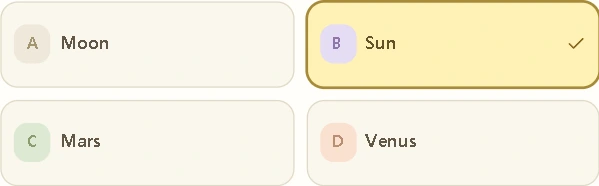
Practice screenView full-size screenshot
- The check mark shows the option you selected.
- Choose from the options and check that the live game has received your answer.
Join with a name and a room code
Open the invitation link, scan the host’s QR code or enter the room code. Play for your own score, or join a team whose members contribute to a shared total.
Build questions around your group
Try a lesson recap, club trivia or a family quiz. Mix multiple-choice, written-answer and true-or-false questions, and check the answers and time limits before inviting players.
Host the round and correct mistakes
Open a question, close submissions and reveal the answer from the host screen. Score adjustments let the host explain a correction or award a bonus, preview its effect and apply it.
Explore three questions on your own
The solo demo introduces the controls and result screens through three sample questions. Create a real room to invite people or check how the game works across your devices.
A three-question lesson closer
Prepare three questions learners can also solve on paper. Use the first to practise the controls, the second to uncover a misconception and the last to explain a relationship. Check both choice buttons and the number field on a phone before inviting the class.
Read next
Ready to play together?
Hosts can create a game. Invited players can enter their code on the game home page.
Go to game home