Golden Bell · How to host and play
Golden Bell guide: prepare, invite, play and review
Before inviting the whole group, try a short round with one host screen and one player screen. Explain whether players compete individually or as teams and how answers are submitted.
See the game screens
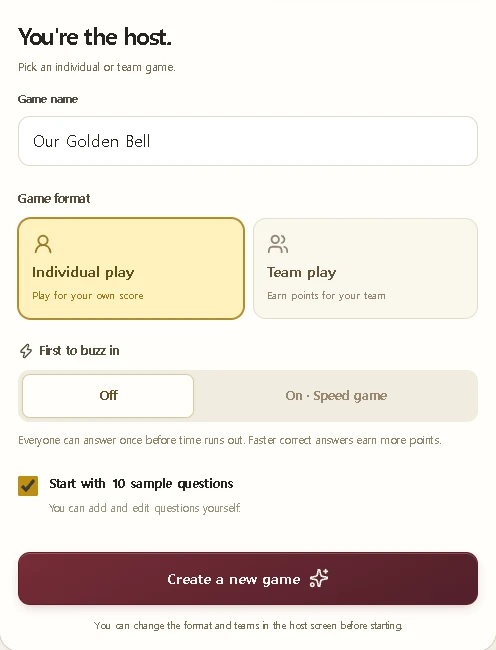
Room setupView full-size screenshot
- Enter a room name for your class or event.
- Check the game mode and questions, then create the room.
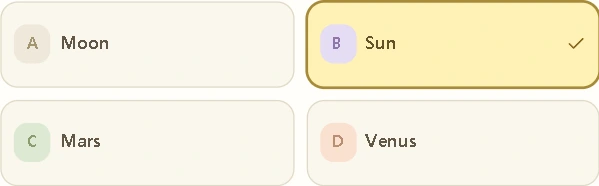
Practice screenView full-size screenshot
- The check mark shows the option you selected.
- Choose from the options and check that the live game has received your answer.
1. Prepare the room and questions
Review the setup in the host screen.
- Choose a title, individual or team play, and the answer mode.
- Check question order, accepted answers and time limits.
- Keep the browser and access information used to manage the room.
2. Share the player invitation
Share the player link rather than host access.
- Players enter a name and choose a team when required.
- Check the roster and team assignments.
- Open the shared display from the host screen if the group needs a large screen.
3. Open the question and collect answers
Players submit from their own screens while the question is open. Wait for confirmation instead of repeatedly pressing Submit. After submissions close, the host reveals the answer.
4. Explain and preview any correction
Select the player, team or question in the score-adjustment tool and enter a reason. Close the relevant question before changing its grading or points. Review the score and rank changes before applying them.
5. Check the result and its save status
Finish the game and review the final rankings. A pending or unknown save status is not confirmation that the record is saved; check again in the host screen. A rematch creates a new room and keeps the old result, so share the new invitation.
Run this fractions round
Prepare the explanation you will read after each reveal. These three questions explore one idea from different angles.
- Multiple choice · Which fraction equals 1/2? Offer 1/4, 2/4 and 3/4. Answer: 2/4. Multiplying the numerator and denominator by the same number preserves the value.
- True or false · One third is greater than one half. Answer: false. Picture two pizzas of the same size. Compare one slice when a pizza is cut in three with one slice when it is cut in two.
- Number entry · How many quarters make three quarters? Answer: 3. Ask for a number only so that spelling or units do not get in the way.
Read next
Ready to play together?
Hosts can create a game. Invited players can enter their code on the game home page.
Go to game home